How to book an in-home care Helper on Herewith
A step-by-step tutorial on how to make a Help Request, book, and rebook Helpers for caregiving services
Written by
By Jill Tomasetti
Published
18 March 2025
Blog /
Getting started on Herewith’s easy senior care platform
Booking in-home caregivers on Herewith is simple, fast, and stress-free. Simply log in online or open up our mobile app, browse 100% background-checked, insured local Helpers, and create custom booking requests based on your needs, preferences, budget and schedule.
In this article, we’ll go over the basics of how to book care with a step-by-step tutorial.
How to find an in-home caregiver on Herewith
On Herewith, caregivers are called “Helpers” because we’ve learned that many people prefer to book help with tasks from time to time, in addition to traditional senior caregiver services. Helpers provide flexible, affordable in-home care services and help with everyday tasks for older adults on your schedule and budget.
Booking a Helper can be done in just a few easy steps. Sign up to get started!
Can I book senior care on behalf of someone else?
Absolutely. Many people on the Herewith platform book help on behalf of someone else, whether it’s a parent, spouse, sibling, friend, or even a client. With our easy payment by credit card via Stripe, you can add multiple payment options for no-fuss sharing of care costs between family members.
Creating a custom Help Request for your in-home care needs
Booking the right help for you starts with a Help Request. Help Requests are customized job postings that expert local Helpers on the Herewith platform can see and respond to. You’ll get to review applicants, chat with them, and choose who you’d like to book.
How to create a Help Request:
- Log in and go to the Helpers tab. You’ll see it on the left navigation panel on your computer or along the bottom of the screen on mobile.
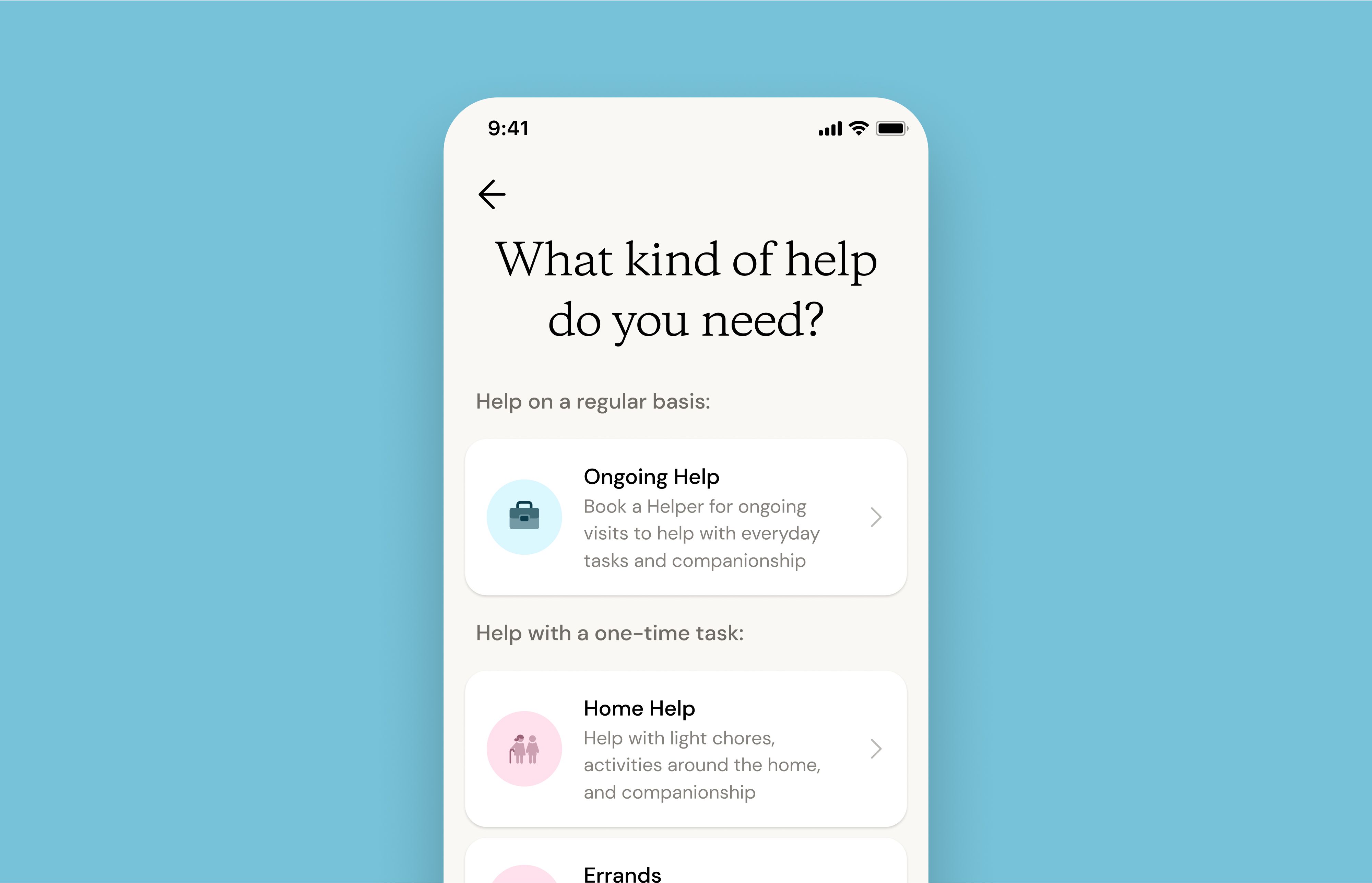
- Tap the blue + Make a Help Request button.
- Select what type of help you’d like to book. Learn more about the types of support that Helpers provide.
- Add details to your request (one-time tasks or ongoing help), including when you need help, what your budget is, your payment details, and specifics about the request.
- Review your request then tap Post my Help Request for nearby Helpers to apply.
How to view your Help Request and review caregiver applicants:
- View your new Help Request anytime under the Helpers tab
- Once Helpers apply, review applicants by tapping on Review applicants from the same Helpers tab.
- Tap on each applicant to view their profile. From here you may also Book now, Message, or Reject applicant.
- Tap Book now to select that Helper and confirm which Help Request you’d like them to fulfill. You may send the same Help Request to multiple applicants simultaneously, and the first Helper to confirm will receive the booking.
Please note: The Helper must confirm the booking. If they do not confirm, you will need to book a different Helper for your Request.
How to view your confirmed bookings
When a Helper confirms the booking, you’ll be notified via email, push notification, and SMS, and will see the confirmed Help Request under Hired Helpers on your Helpers tab.
Explore Helper profiles and start chatting to find a great match
While you wait for Helpers to apply for your Help Request, you can also browse Helpers in your area. When you come across a great profile, you can reach out to that Helper instantly with a chat.
- Tap Message to start a chat and make sure the Helper is available for your Help Request.
- After the Helper responds to the message, you’ll see that the Book now button is enabled (turns blue) and you will be able to send the Helper a booking request the same way as above.
How do I cancel an offer to an applicant?
Sometimes when you’re booking in-home care services, your schedule changes or your care needs change. Or perhaps your preferred Helper becomes available so you want to change Helpers. Not to worry, it’s pretty easy to cancel an offer before the Helper has accepted the job.
To cancel an offer to an applicant:
- Go to the Helpers tab. You’ll see it on the left navigation panel on your computer or along the bottom of the screen on mobile
- Tap on the relevant Help Request
- Scroll down and tap Cancel Offer for the relevant applicant
Common questions: Why is the booking button disabled on a Helper’s profile?
Before you can book a Helper, it’s required to create a Help Request and reach out to them with a message to ensure they are available for your Help Request. This is important because it saves both parties time!
By viewing your Help Request first, the Helper is able to see when you need help and what you are looking for, so they know if it will be a good fit for them.
By messaging the Helper before booking, you can be sure that the Helper is actively looking for work and available for your scheduling needs. If a Helper doesn’t respond, you can quickly move on to another Helper.
Learn more about chatting with Helpers here.
Save time by rebooking Helpers for in-home care tasks
After your Help Request is fulfilled for one-time tasks, you can rebook the same Helper for the same task—just update the date and time!
- Go to your Helpers tab
- Tap on the relevant request under the Past Requests section
- Tap Rebook this Helper and follow the prompts to update a new date and time for your rebooking request
Learn more about common care needs for older adults and how task-based help is an easy, flexible, affordable solution.
Still need help?
Call our Support team for further assistance.
Mon-Sat, 9AM-6:30PM PT- Call us at:
415-506-9776
- Send us an email
support@herewith.com





Herewith provides a platform to assist Helpers and care recipients in connecting regarding in-home non-medical care opportunities. Herewith does not employ any Helpers, nor does it recommend any Helpers and/or care recipients who use its platform. User information provided in profiles, posts, and otherwise on the Herewith platform is not generated or verified by Herewith. Each user of Herewith's platform is responsible for conducting their own vetting before determining whether to enter into an employment relationship and for their own conduct, including compliance with applicable laws.