How to Create a Strong Helper Profile for Applying to Senior Care Jobs
Our step-by-step tutorial on creating a successful Helper profile, including how to add a profile photo
Written by
By Jill Tomasetti
Published
24 June 2026
Blog /
Herewith is an online platform and mobile app where you can find flexible jobs working with private in-home care clients.
To get started finding senior care work that suits your schedule, you’ll need to create your free Helper profile.
What is a Helper profile?
A Helper profile is essentially your caregiver resume, but in an easy format for clients to view on the Herewith app.
Your Herewith profile includes:
- Your first name
- A profile photo
- An ID check and background check badge
- Your zip code
- A short statement from you about why you enjoy caregiving and working with older adults
You can also personalize your profile with extra details:
- Showcase your caregiving experience, skills, certifications, and training
- Add your preferred pay rate
- Add your availability
When families browse profiles on the app, they’ll look for Helpers who have trustworthy photos, good skills, and experience, who are located nearby and are in their price range.
Clients will reach out to you via chat to find out more and ask you about your availability before booking your caregiving services, so be sure to check your messages regularly.
Creating your caregiver profile is fast, easy, and free
An essential step in applying to senior care jobs on Herewith, creating your profile can be done in just a few minutes.
You’ll simply sign up and then follow the steps in the app until each section is complete.
If you wish to take a break and come back and finish later, your progress will be saved and you can pick up where you left off.
Or, come back and edit your info anytime, if your schedule changes or you want to update your skills.
Step-by-step guide: How to create your caregiver profile
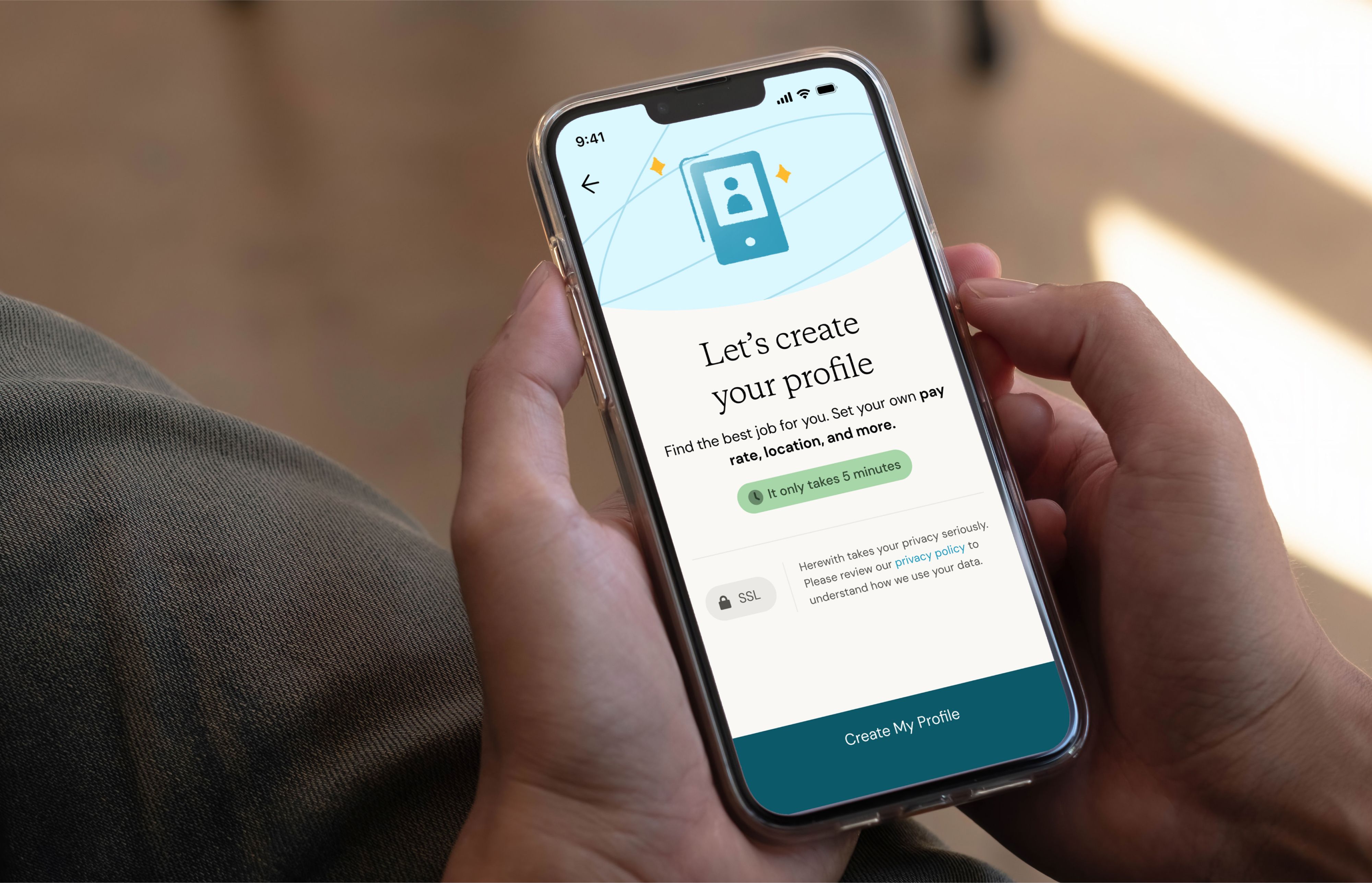
- Log into Herewith and tap Create My Profile.
- Add your details, including your years of caregiving experience, languages spoken, your availability, pay rate, and any extra details to help families know if you’re a good match.
- Complete a quick ID-verification with your government-issued ID.
- Add a quick profile photo and you're ready to job search!
Tip: Remember, you can edit your profile at any time in the future as well.
You’re all set! You can get started job searching.
Later, when you receive your first job offer, you'll also complete a fast free background check. You’ll be notified by text SMS message, app notification, and email once your results are in and you’re ready to finalize your hire.
How does my profile help me apply for caregiving jobs?
Your profile makes it much faster and easier for families to hire you. After you complete your profile, you'll be able to chat with clients and apply to jobs near you with just a few taps.
Tip: When families view your profile, only your first name and last initial will be used, and no contact info will be posted.
Clients will be able to browse Helper profiles in their area and reach out to you by messaging you on the app, so you never have to worry about sharing your info.
Clients will also review your profile whenever you apply for a caregiving job or task on Herewith.
By doing your ID verification and adding your photo, skills, pay rate, and availability, they’ll be able to see if you’re a good fit for their Help Request and send you a job offer much faster than if you had to go through a long interview process.
Need to take a break from caregiving?
If you wish to hide your profile from being visible on Herewith, you can toggle your availability on and off in your profile. See the section below, “How to edit your Helper profile,” to learn how to update your availability.
What’s required to complete a caregiver profile on Herewith?
As you fill out your Helper profile, you’ll see a red asterisk next to all required fields.
On your profile many fields are optional, however, the more details you add about your skills and experience, the faster families can get to know you and hire you. A warm, friendly intro video will boost your job offers even more!
Required info:
- To create your account: Full name, email, mobile number, and zip code
- To create your profile: Your starting hourly rate, a profile photo, and a government-issued ID, such as a driver's license or passport.
How to update and edit your Helper profile
You can always come back and edit your profile. Update your availability, pay rate, skills, and more anytime.
To edit your profile by logging in on the web:
If you log in online, clock or tap on the My Account menu. This is located at the top right corner of your screen. Then click or tap on My Profile to review your info and make any edits. Toggle I’m available to hire on or off depending on if you wish families to see your profile on the Herewith platform. Tap Edit Profile to make changes to your profile.
To edit your profile on your Helpers mobile app:
- Go to the Bookings tab or the Applications tab
- Tap the My Profile button
- Toggle I’m available to hire on or off and tap Edit Profile to make changes
- Tap the Edit icon to update any section of your profile
- Tap Save when you’re finished making changes
Guide to adding a photo to your caregiver profile
When you create your profile, you’ll be prompted to add a profile photo. This is your introduction to clients, so be sure to take a minute and make sure you're ready to make a great first impression!
How to add a photo to your profile:
- Tap Choose
- Select Take a picture if you’d like to take a new picture with your phone—tap the reverse icon 🔄 if you’d like to take the photo in selfie mode. Or Choose from gallery if you’d like to select a photo from your phone
- You can re-take or change the photo as many times as you need to make sure you have a nice clear photo.
Our top tips for a great profile photo
Profile photos can help create confidence in clients who might want to hire you, so you want to take a photo that looks friendly yet professional, clear and easy to your face, and current.
✅ Take your photo in a well lit, neutral space (not your bedroom or bathroom)
✅ Hold the camera vertically (portrait mode)
✅ Take a photo from the shoulders up and make sure your face is close to the center
✅ Give a warm smile and dress in a professional way, such as a nice top or button-up
✅ If you select a photo from your phone, make sure it’s recent
⛔ Avoid filters that change your appearance—clients are less likely to trust your photo if it doesn’t look authentic
⛔ Don’t include other people or clients in your photo—you should be the only person in the photo
⛔ Don’t take a picture of a picture
Still need help?
Call our Support team for further assistance.
Mon-Sat, 9AM-6:30PM PT- Call us at:
415-506-9776
- Send us an email
support@herewith.com





Herewith provides a platform to assist Helpers and care recipients in connecting regarding in-home non-medical care opportunities. Herewith does not employ any Helpers, nor does it recommend any Helpers and/or care recipients who use its platform. User information provided in profiles, posts, and otherwise on the Herewith platform is not generated or verified by Herewith. Each user of Herewith's platform is responsible for conducting their own vetting before determining whether to enter into an employment relationship and for their own conduct, including compliance with applicable laws.